



Frequently Asked Questions
Do I need to have an IC3 account to register?
Yes.
Anyone wishing to register must have an active IC3 account.
Make sure to activate your account and that all members of your family appear on it at least 48 hours BEFORE the registration period. Those who had an account on the old online registration platform before 2023 must also create and activate a new account.
If you have any questions or need assistance, please contact the Recreation Centre's Front Desk at 514 428-4520 or at loisirs@beaconsfield.ca.
What should I do BEFORE creating an IC3 account?
Before creating an account on IC3, you must complete the personal identification number (PIN) request form.
When creating your account, the system will ask you if you have your PIN in order to activate your profile.
To do so, you must first fill out the personal identification number (PIN) request form and send it to loisirs@beaconsfield.ca along with the required identification document(s).
Your PIN will be sent to you by email as soon as the information you have provided has been validated. You will then be able to create and activate your IC3 account.
If you have any questions or need assistance, please contact the Recreation Centre's Front Desk at 514 428-4520 or at loisirs@beaconsfield.ca.
How can I create my IC3 account?
Beforehand, have your PIN ready. If you do not have it, please refer to the answer to the previous question. Please ensure that you have created and activated your account and that all family members are listed at least 48 hours BEFORE the registration period.
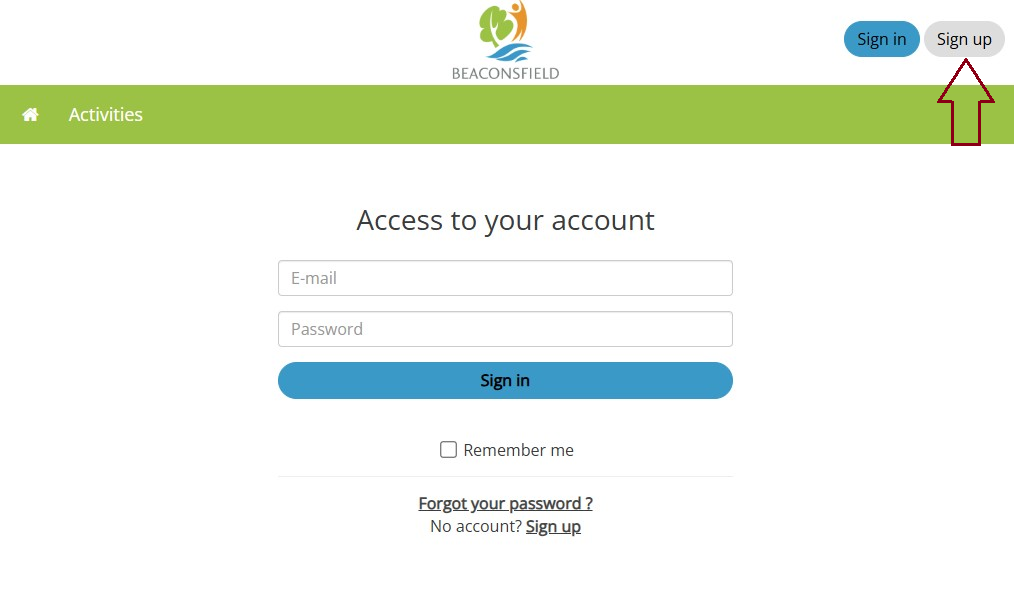
Step 1: Click on "Sign up" at the top right corner.
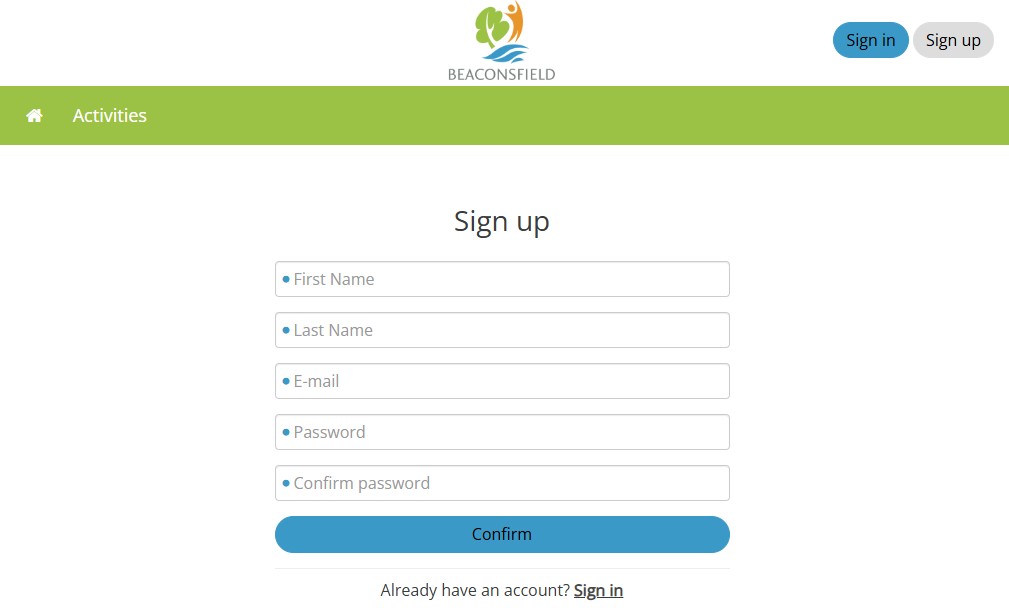
Step 2: Fill in the required information and click on "Confirm". An email will be sent to you.
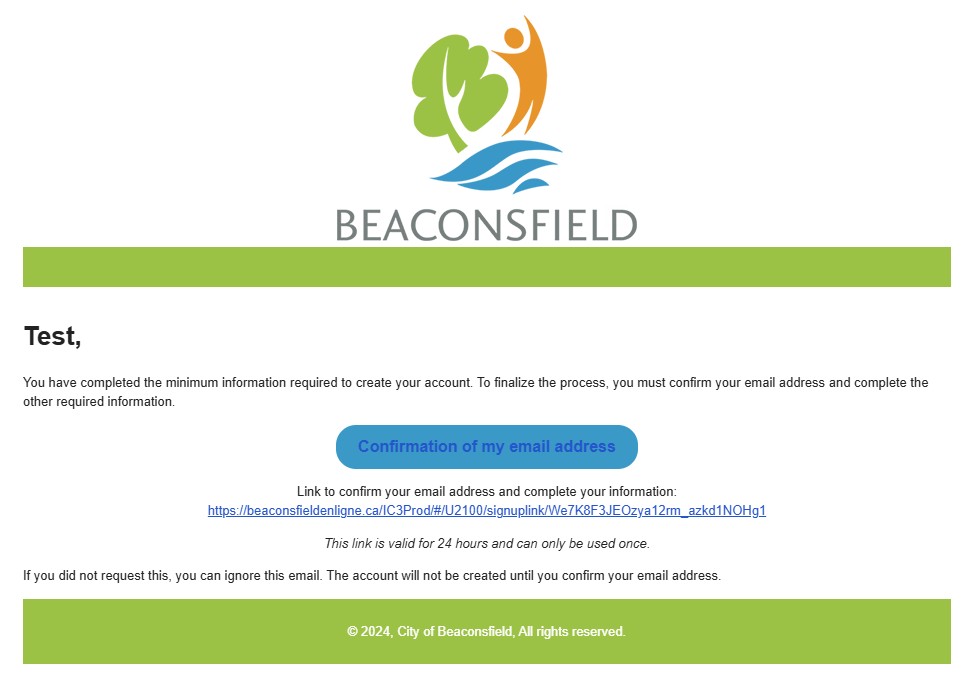
Step 3: Once you receive the email, proceed to confirmation by clicking on the link.
Step 4: Return to the IC3 main page and log in with the email address and password you just created.
- If you already have a PIN, select “Activate my profile” in the “I have my PIN” box, then proceed to step 5.
- If you do not have a PIN, select “Cancel” in the “I do not have a PIN” box and then refer to the answer to the previous question. Once you have obtained your PIN, you can proceed to step 5.
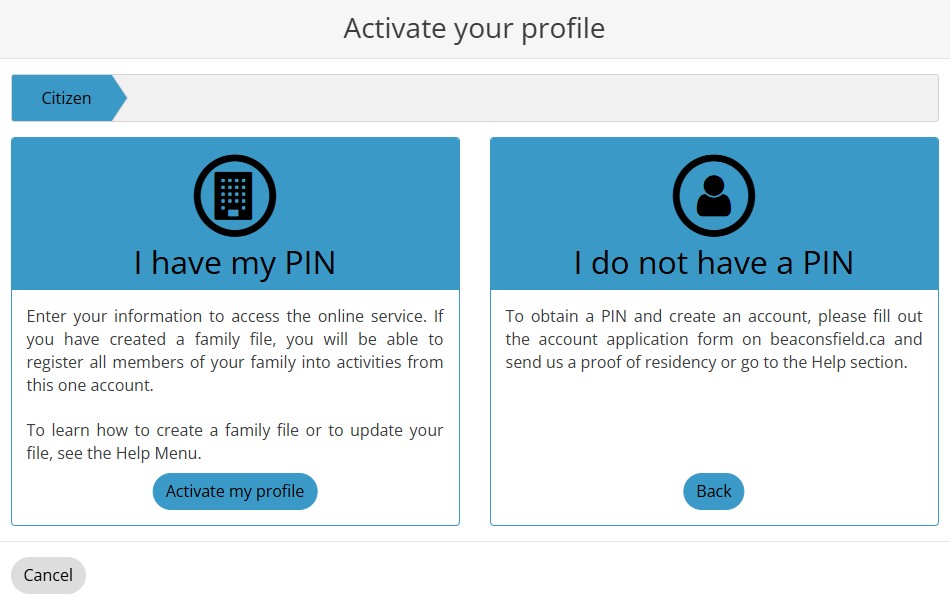
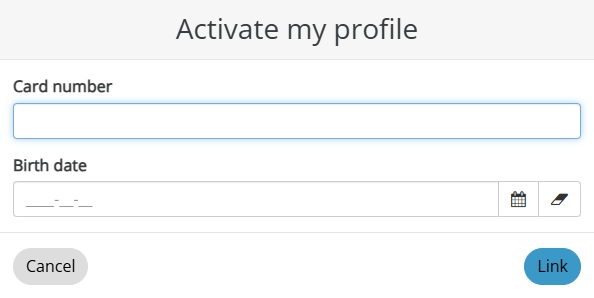
Step 5: Once you have clicked on “Activate my profile” in the “I have my PIN” box, the “Link my file” window will appear. Please enter the PIN you received (without the “0” at the beginning) under “Card number” and your date of birth under “Date of birth,” then click on “Link” at the bottom right corner. (For example, if the full PIN is “00031810,” under the “Card Number” box, you should only enter “31810.”)
CONGRATULATIONS, YOU HAVE NOW CREATED AND ACTIVATED YOUR ACCOUNT AND HAVE ACCESS TO THE IC3 REGISTRATION PLATFORM!
If you have any questions or need assistance, please contact the Recreation Centre's Front Desk at 514 428-4520 or at loisirs@beaconsfield.ca.